RSMS HEC-RAS files
Zipping the files for RSMS
The files we get from Brian for RSMS are the

- .IC.O0 is the Initial Conditions file.
- .O0 is the Output file.
- .p0.hdf is the Plan HDF file. - contains all of the output plus all of the geometry input in HDF5 format.
- .prj is the project file for HEC-RAS.
- .u0 is the Unsteady Flow.
When we get the data from brian we have to unzip it it is in a TGZ file. A TGZ file is actually zipped 2 times. 1st it is zipped with as a tar then it is zip as a gzip.
- Select the files you want to zip.
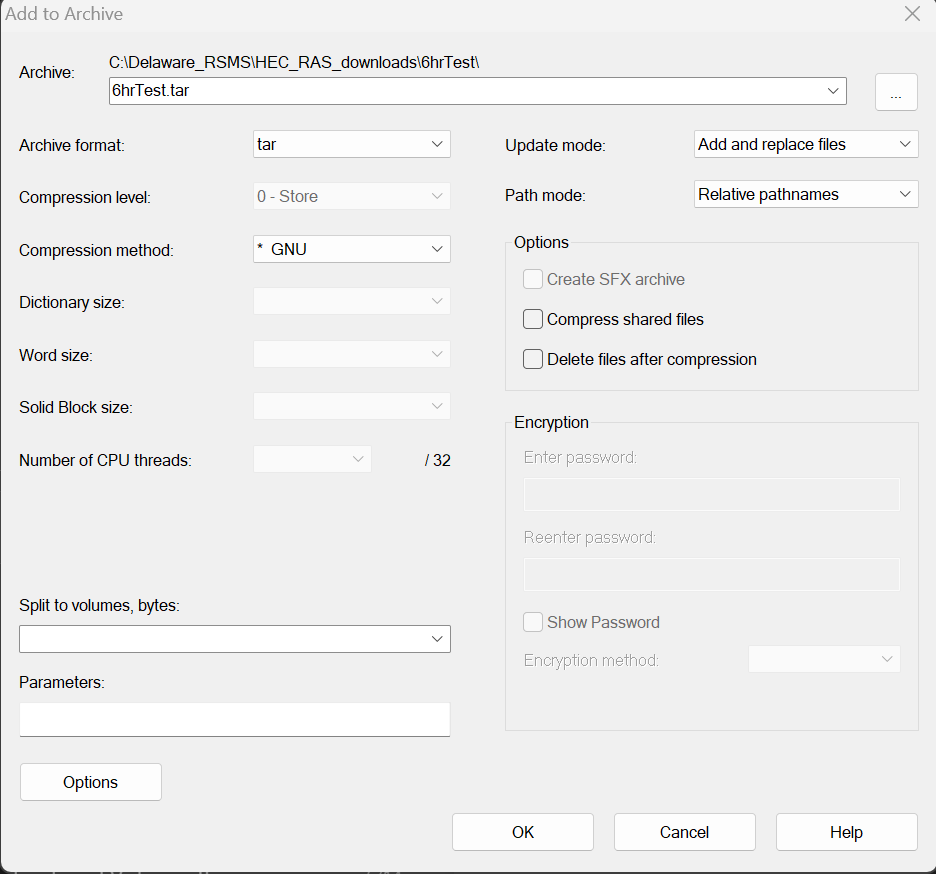
- Right click and use 7 zip add to archive to get the files zipped as a tar.
- Change the name to the file name you want to use.
- Change the Archive format to tar.
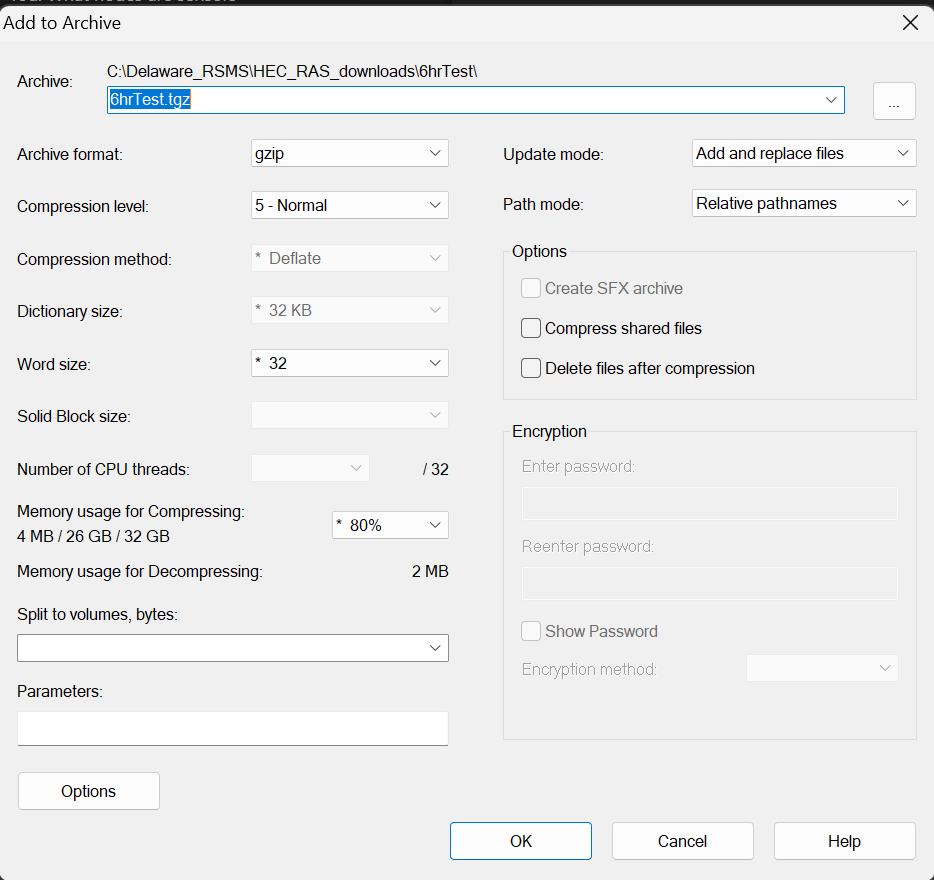
- Once the tar file is created right click on it and use 7 zip to zip it again.
- This time change the name to filename.tgz it will appear as filename.tar.gz
- Make sure you have changed the format to gzip.
Navigating the HDF5 file
The HDF5 file can get a little confusing when looking at data for RSMS.
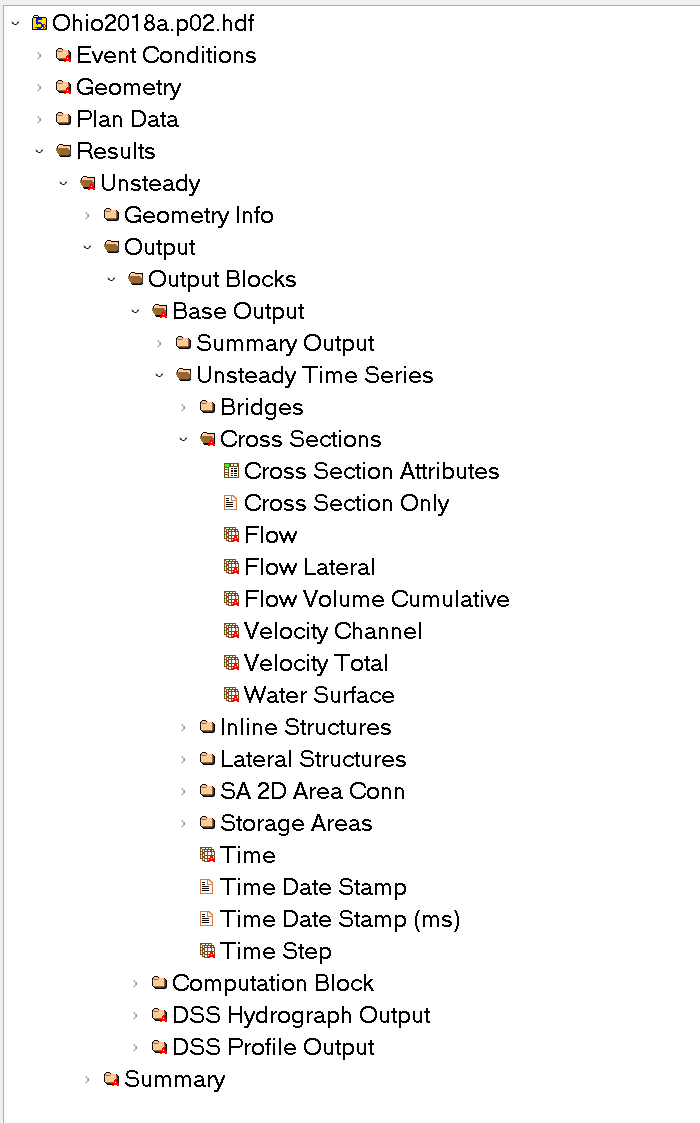
There are ___ tables that you need to concern yourself with.
- Flow
- Velocity Channel
- Water Surface
- Time Date Stamp
- Cross Section Attributes
The Path is as follows 'Results/Unsteady/Output/Output Blocks/Base Output/Unsteady Time Series'